CAN messages
info
All here listed messages are little-endian.
This part of the documentation is for OPHION-specific messages. If you are interested in other messages, see the driver documentation
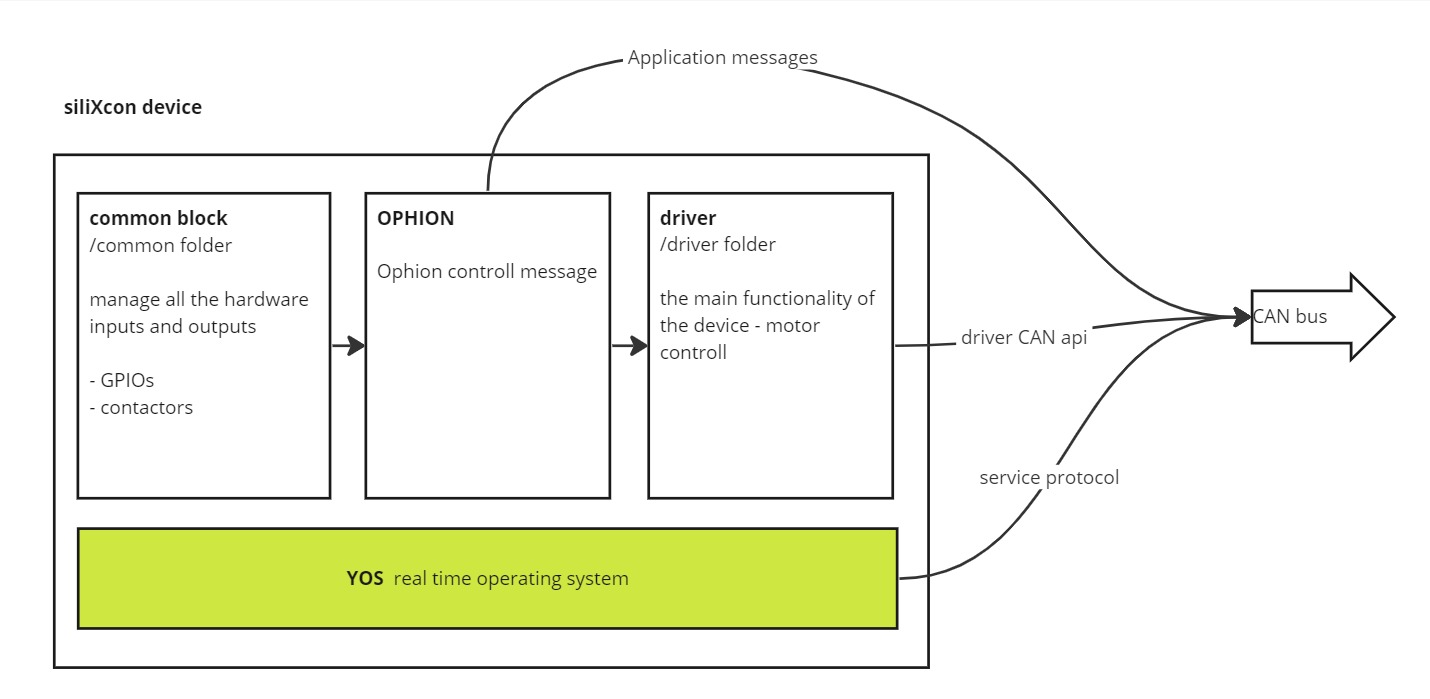
Ophion controll message
Using this message you can map CAN signal to OPHION input. You can also combine controller GPIO inputs with CAN inputs.
info
- If you set
/io/level_INPUTto0,255, then the level input is used from the CAN message. - To controll driver mode using the CAN, set
/io/can_inputto 1.
Message ID
Message ID for this message can be changed using the parameter /io/can_offset.
The message ID is calculated like this: can_offset + device address
example
Controller with address 0 and the default value of can_offset have message ID 0x610
Message structure
| Byte | type | Description |
|---|---|---|
| 0-1 | INT_16 (Little endian) | can_level |
| 2-3 | INT_16 (Little endian) | can_level2 |
| 4 | UINT_8 | Digital input: - Bit 1 = can_in1 - Bit 2 = can_in2 |
| 5 | UINT_8 | can_clt_mode -used only if can_input = 1 |
| 6 | UINT_8 | can_ctl_mode_reverse -used only if can_input = 1 |
| 7 | - | ignored |
- DLC of the message must be 7 or 8, otherwise, the message is ignored.
- Timeout for this message is 200ms. If the message is not received at this time, all the message values are set to zero.
Received values
All the received values are shown as variables in the folder /can_input_signals. These signals are shown even if the CAN input is not used.
| State variable | Description | Unit |
|---|---|---|
| can_ctl_mode | Indicates parsed value for ctl_mode | [UINT_8] |
| can_ctl_reverse_mode | Indicates parsed value for ctl_reverse_mode | [UINT_8] |
| can_in1 | Indicates parsed value for in1 | [boolean] |
| can_in2 | Indicates parsed value for in2 | [boolean] |
| can_level | Indicates parsed value for level | [INT_16] |
| can_level2 | Indicates parsed value for level2 | [INT_16] |
| can_timeout | Indicates status of watchdog for CAN message | -1: no message received 0: message timedout positive value: timeout countdown value |